The tile wall
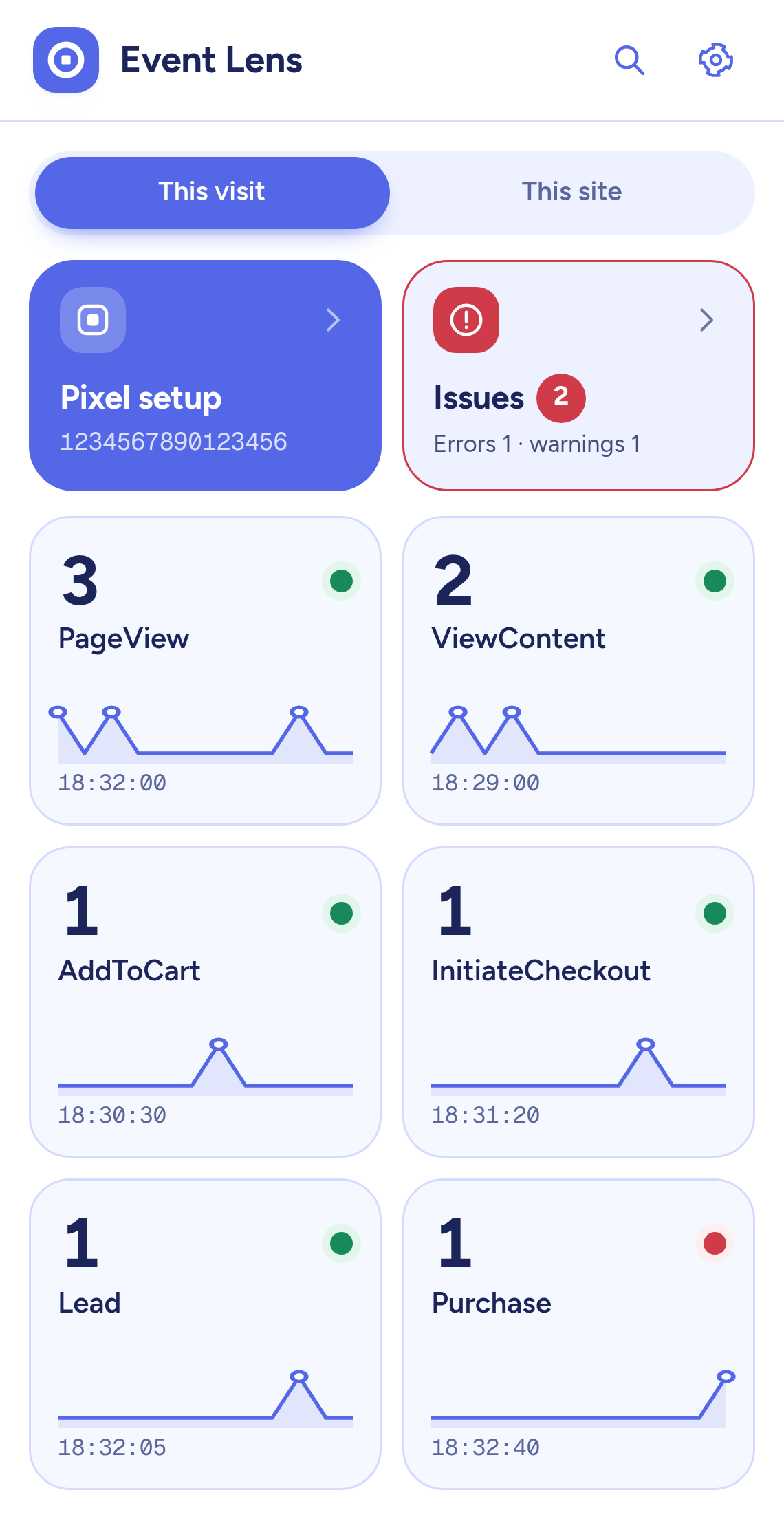
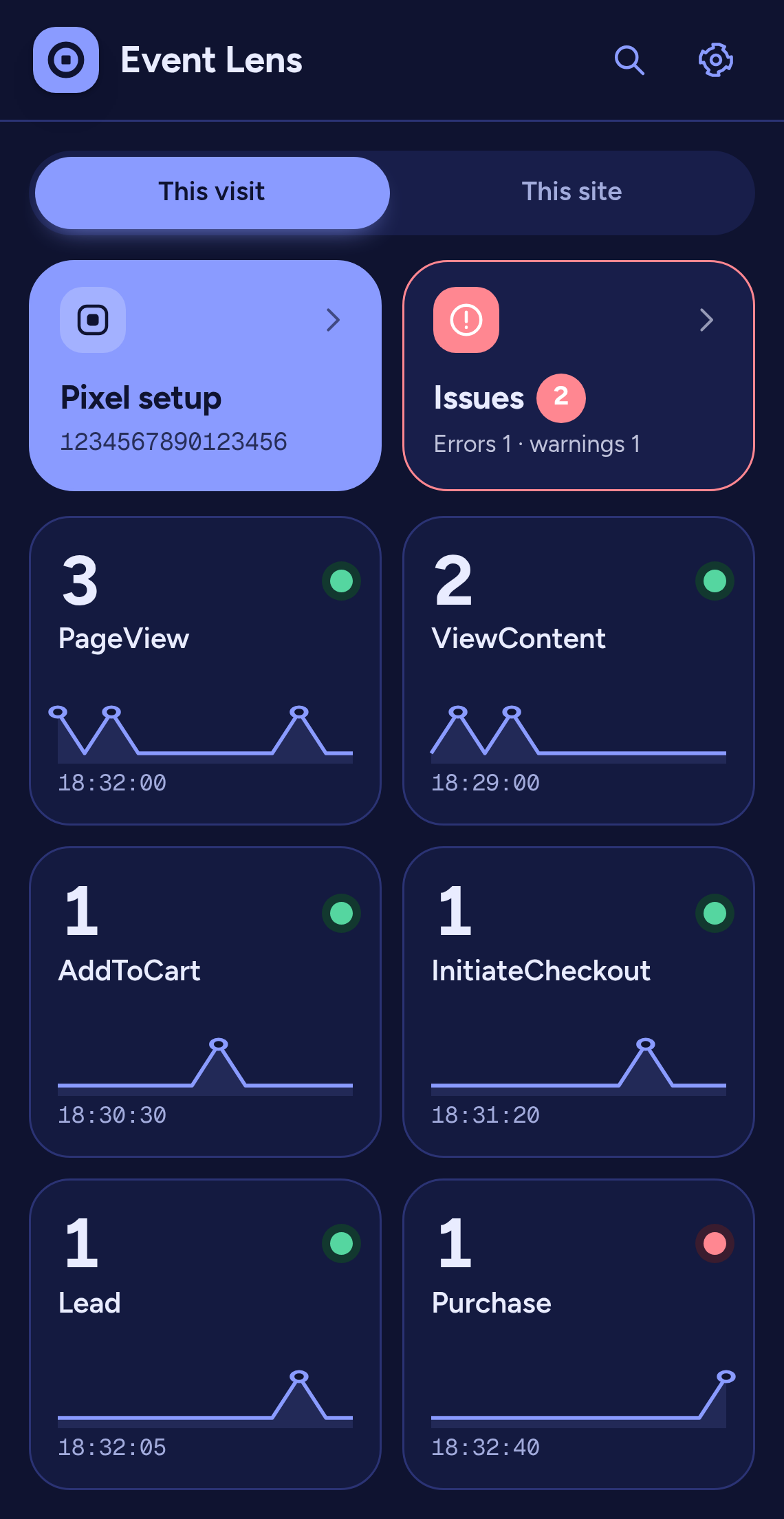
See the whole page at a glance. Search by event name or by any parameter value and keep only the events with problems.
CHROME SIDE PANEL
Event Lens turns what your Meta Pixel sends into a wall of tiles. Open one to read each parameter, see what is wrong and fix it fast.
Works with the Meta Pixel. Everything stays in your browser.
HOW IT WORKS
Every event name the page fires gets a square tile with a count and a sparkline.
The tile grows into a full detail screen with a breadcrumb and a back button.
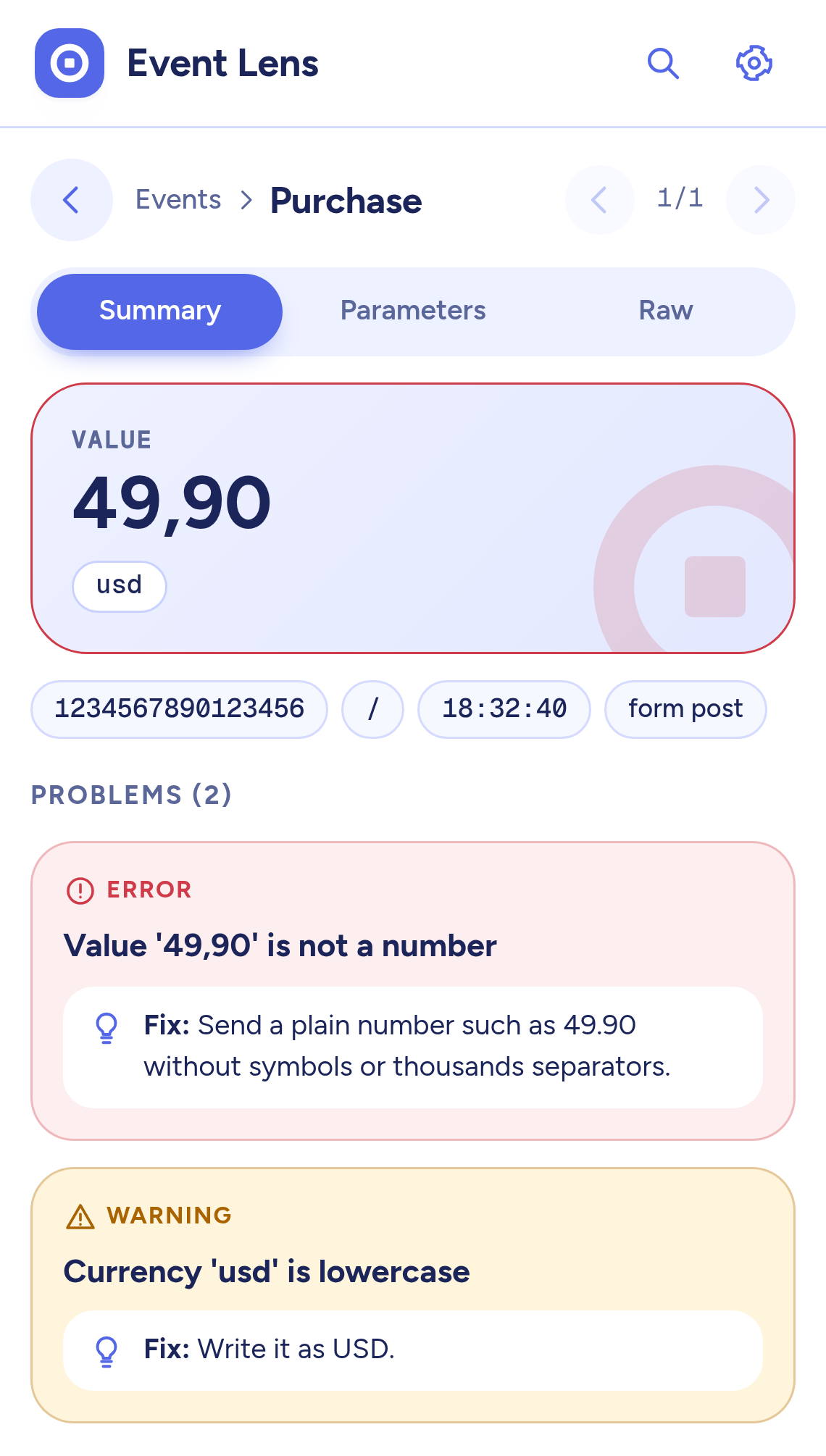
Magnified key values, every parameter, the problems with their fixes and one tap to copy the JSON.
THE VIEWS
See the whole page at a glance. Search by event name or by any parameter value and keep only the events with problems.
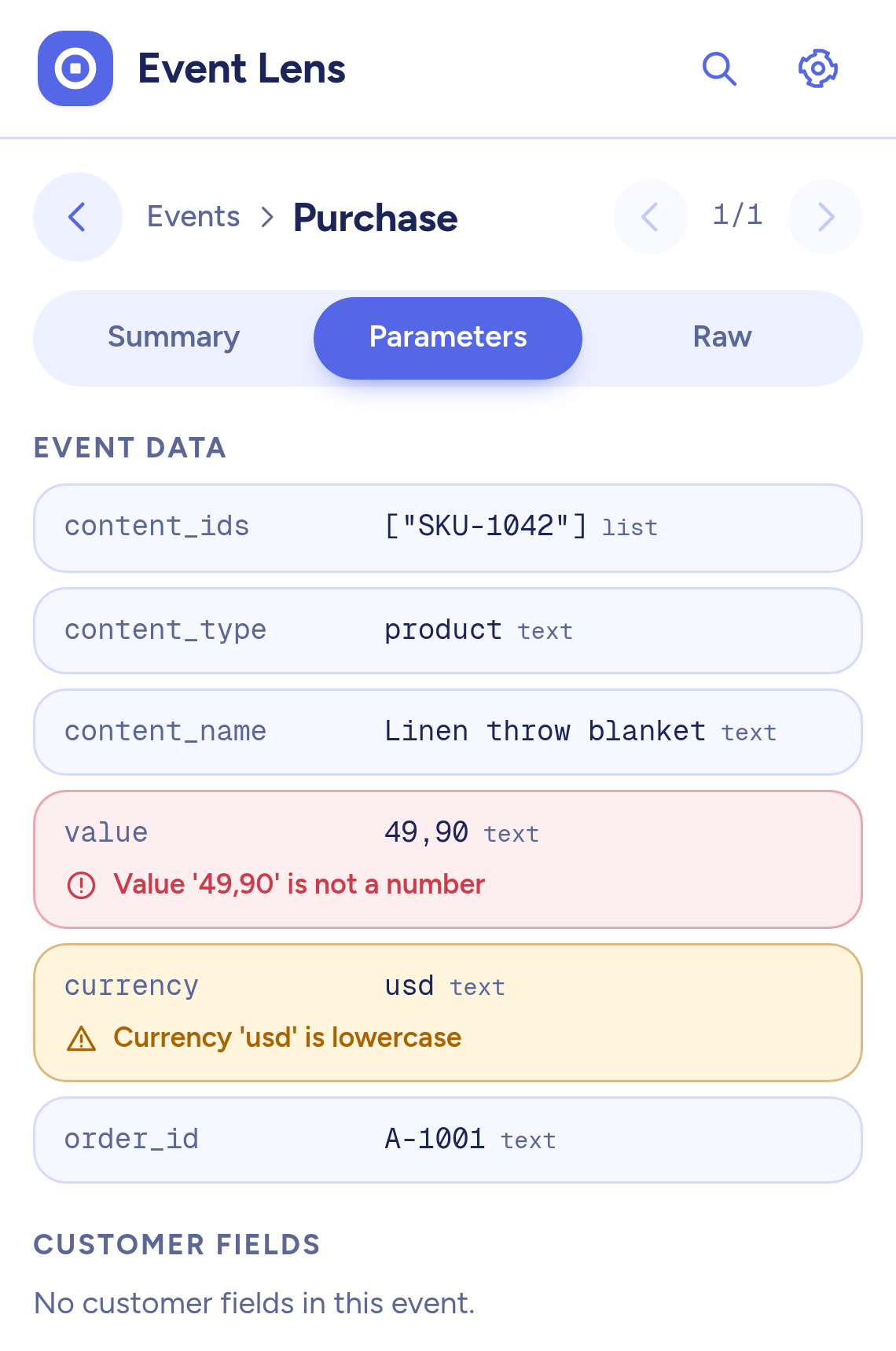
Every field the event sent with its type. Wrong ones are marked right on the row with the reason.
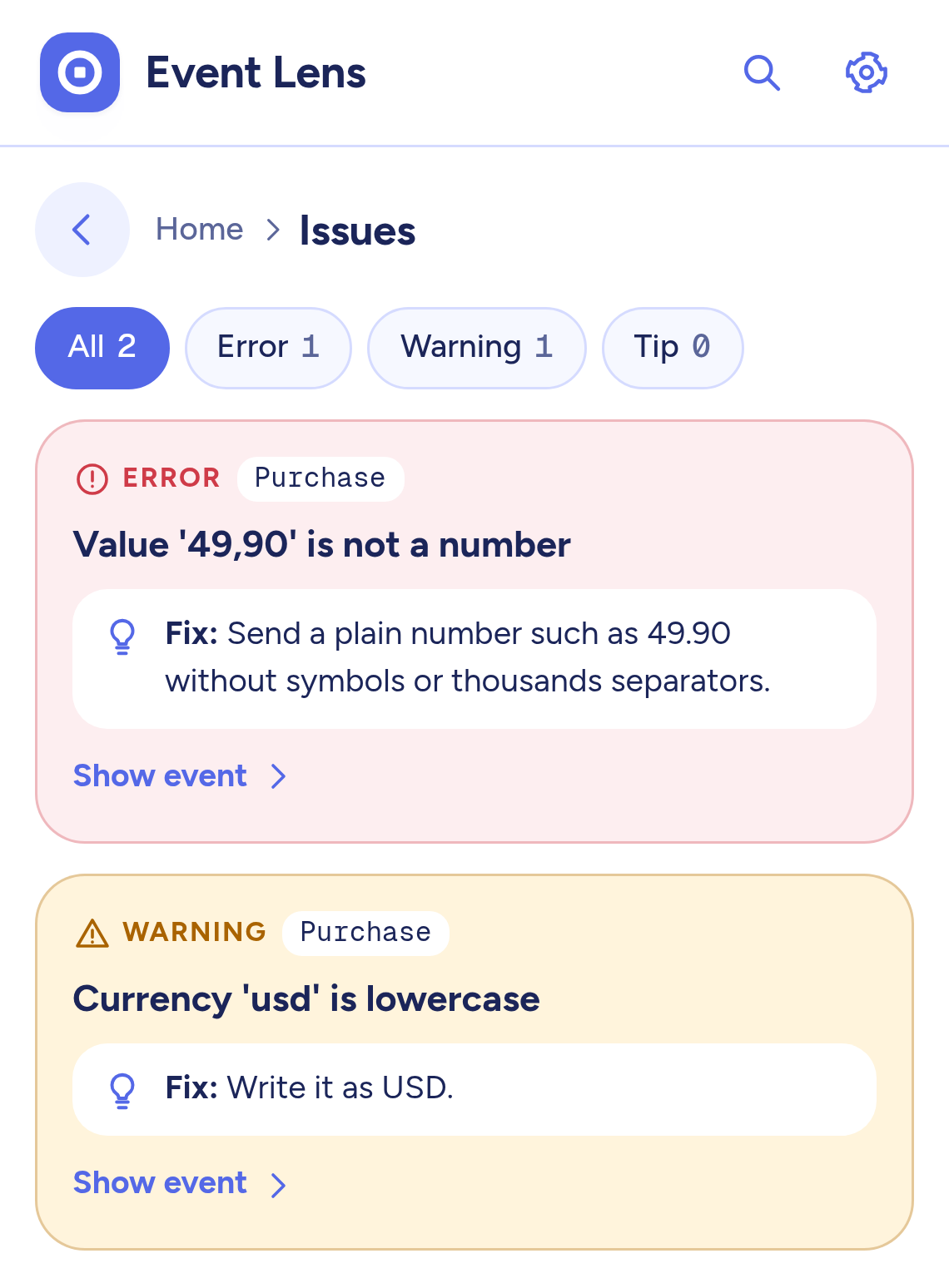
Errors first, then warnings and tips, each with a one-line fix and a jump to the event behind it.
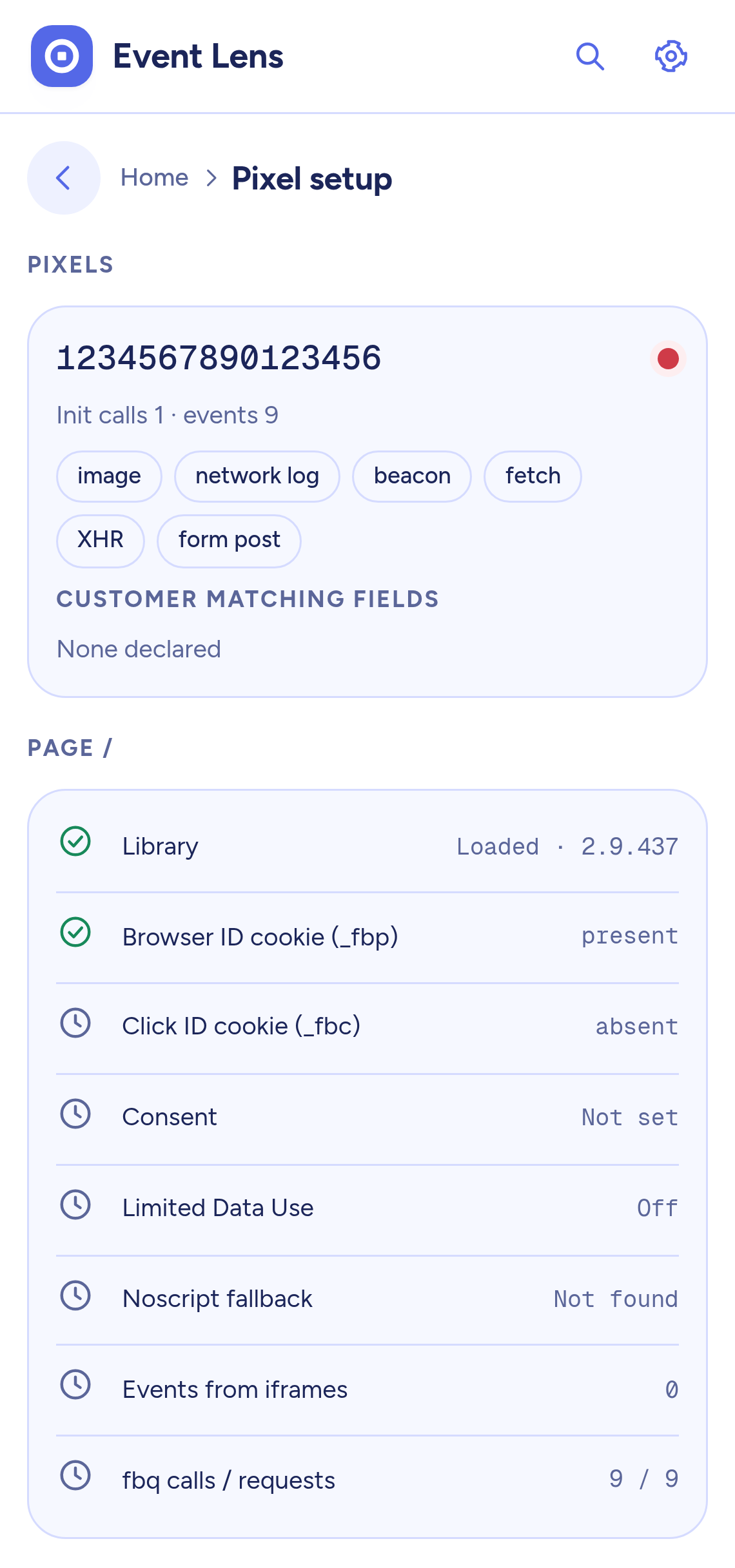
Pixel IDs, init calls, library version, consent, Limited Data Use, customer fields and cookies in one place.
THE CHECKS
Every problem is rated as an error, a warning or a tip, and says what to change in plain words.
Missing, not a number, lowercase or not a real currency code.
Missing content_ids, ids that are not a list, an unusual content_type.
Parameters and events that look like a typo of a standard name, and casing that turns them custom.
The same event twice within two seconds, a missing or a reused event ID.
Emails and phone numbers in parameters or in the page URL.
Matching fields that were sent without being hashed.
A malformed ID, a Pixel that starts twice, two Pixels, no PageView.
A missing browser ID cookie or an fbclid without a click ID cookie.
Revoked consent and Limited Data Use, so held-back events are no surprise.
LIGHT AND DARK
The panel scales from a narrow column to a wide one, respects reduced motion, speaks twelve languages and flips cleanly to right to left layouts.
PRIVATE BY DESIGN
The extension never sends anything anywhere. It has no servers and no accounts.
Decoded events stay on your device and an hourly cleanup removes old ones.
Customer fields are stored as names with a hashed flag, never as values.
Read the full privacy policy.
FAQ
Open the page you want to check and open the Event Lens panel from the toolbar. Reload the page so the lens can watch from the start, then click through your funnel and watch the tiles appear. Open a tile to compare each parameter with what you expect and read the Issues list for anything to fix.
Yes. Everything happens in your browser. The extension keeps decoded events on your device for four days and never sends anything anywhere. It has no accounts, no analytics and no remote code. Customer fields are stored as names with a hashed flag, never as values.
No. It reads what the browser sends. It cannot see server-side events and does not verify them. A page that sends no Pixel request in your browser is shown as empty, not as broken.
Yes. Events are grouped by page route, so you can follow a checkout that never reloads and filter the tile wall by route.
Four days, on your device only. You can export it as JSON or CSV, clear one site or clear everything from the settings screen.
No. Meta Pixel Event Lens is an independent tool. It is not affiliated with, endorsed by or sponsored by Meta Platforms, Inc.